
Winbeast App Installation Errors and Fixes
Encountering issues while trying to install the Winbeast app can be a frustrating barrier to accessing your favorite games. This guide provides a practical, step-by-step troubleshooting walkthrough for the most common installation errors on both Android and iOS devices, helping you get back to playing quickly.
Common Winbeast App Installation Error Codes
When the installation fails, your device often provides an error code. Understanding what these codes mean is the first step to a solution. Here is a table of the most frequent errors and their primary causes.
| Error Code | Platform | Likely Cause |
|---|---|---|
| Error 491 | Android | Insufficient storage space or corrupted Google Play Store cache. |
| Error 907 | Android | App package conflict with an existing or incomplete installation. |
| “Cannot Download App” | iOS | Network security settings or restrictions blocking the download. |
| Error 1009 | iOS | Unstable internet connection or Apple ID verification issue. |
Step-by-Step Fixes for Android Devices
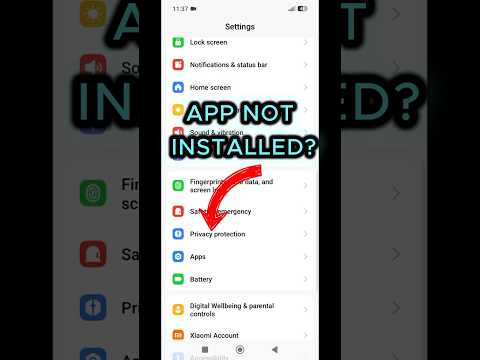
Android users sometimes face hurdles due to security settings, as the app isn’t always on the Google Play Store. Follow this ordered list of actions to resolve the issue.
- Enable Installation from Unknown Sources: Go to Settings > Security. Toggle on “Unknown sources” to allow installations from outside the Play Store. Remember to disable this after installation for security.
- Clear Google Play Store Cache: Navigate to Settings > Apps > Google Play Store. Select “Storage” and then tap “Clear Cache”. This resolves many download issues.
- Check Available Storage: Ensure you have at least 1GB of free space. Delete unused apps or media files if necessary.
- Re-download the APK File: The installation file might have been corrupted during download. Delete it and download a fresh copy directly from the official Winbeast casino website.
Troubleshooting Installation on iPhone and iPad
iOS installations are generally smoother but can be blocked by device management settings. If you’re having trouble, work through these steps.
- Verify Internet Connection: Switch from Wi-Fi to mobile data (or vice versa) to rule out network-specific problems. A stable 4G/5G or Wi-Fi connection is essential.
- Check Device Restrictions: Go to Settings > Screen Time > Content & Privacy Restrictions. Ensure that app installations are allowed. Sometimes, a simple device restart can clear temporary glitches.
- Update iOS: An outdated operating system can cause compatibility issues. Check for updates in Settings > General > Software Update.
- Re-authenticate Your Apple ID: Sign out of the App Store and sign back in. This refreshes your connection and can resolve authentication errors.
Ensuring a Smooth Installation Process
Prevention is better than cure. To avoid installation headaches altogether, follow these best practices. Always download the app only from the official Winbeast website to avoid malicious software. Before you start, confirm your device meets the minimum requirements: Android 8.0 or later, or iOS 13.0 or later. Furthermore, a strong and stable internet connection is non-negotiable; avoid public Wi-Fi for downloads. Successfully installing the app is your gateway to claiming offers like a Winbeast bonus or Winbeast free spins, so it’s worth taking the time to get it right.
What to Do If Problems Persist
If you have diligently followed all the steps and the Winbeast app still won’t install, the issue likely requires direct support. Your next step should be to contact Winbeast customer support. Have your device model, operating system version, and a screenshot of the error message ready. They can provide tailored solutions and confirm if there are any ongoing server-side issues. You can easily find their contact details on the official Winbeast website. Remember, while a Winbeast no deposit offer or a Winbeast promo code might be time-sensitive, a correct installation is crucial for a seamless gaming experience.